How edge translation works (and why it's faster than you think)
Edge translation runs on a global edge network — 300+ cities, cache-first serving, no client SDK. Here's the architecture, the cache layers, and why first translation is the work.
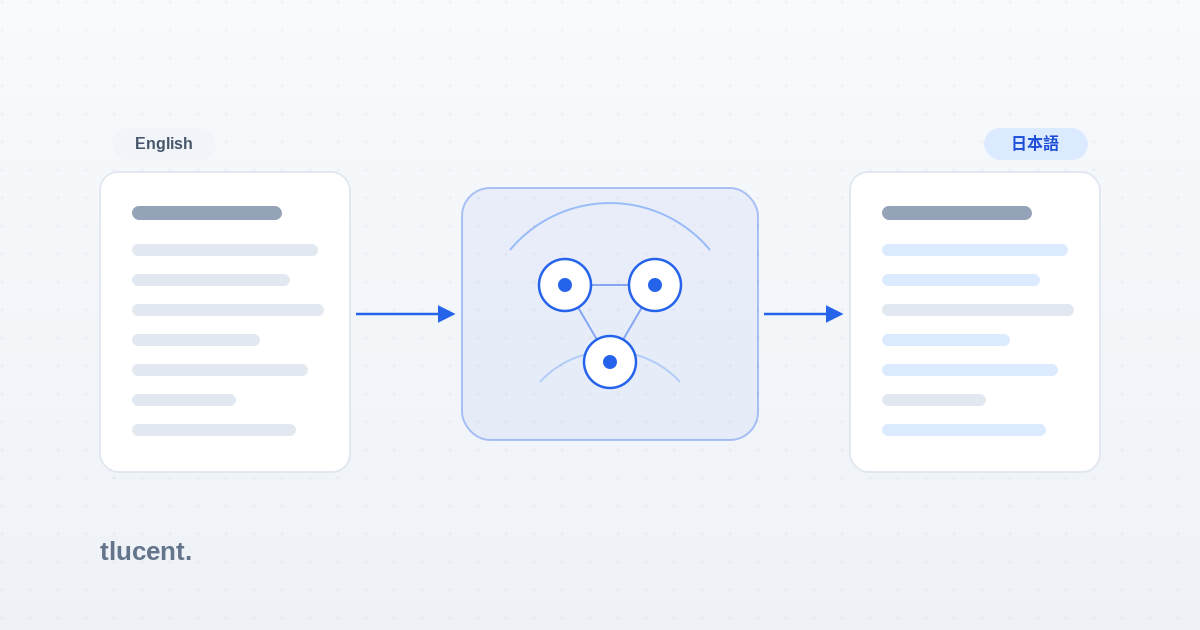
Translation tools are usually slow because they live far from your visitors. A browser-extension translator sends the page to a remote API on every load. A build-time i18n pipeline waits for a human translator and a release. An embedded SDK pays the LLM on every render. We chose a different shape: the translation runs at the same place that already serves your site. That is what “edge” means here, and it is the entire reason the latency story is good.
What “edge” means in this context
Our edge network spans more than 300 cities. When someone in São Paulo requests your translated page, the request terminates in a São Paulo data center — not in a single us-east-1 region after a transcontinental hop. A warm page is served by the data center nearest the reader: the request doesn’t leave the continent, and on a cache hit it never touches your origin at all. We have run this pipeline against 15 real production sites — from single-page marketing sites to multi-thousand-SKU storefronts — and every one of them served a first translated page from a cold start within seconds, with subsequent hits returning in milliseconds from the nearest edge cache.
A second property matters more than the latency number: there is no client SDK. No JavaScript bundle shipped to the visitor. No polyfill for older browsers. No third-party script on the page. The translation is the response. Whatever you serve today, we serve a translated version of it, in the same MIME type, with the same DOM. The visitor’s browser does the same work it would have done anyway. Onboarding is a single DNS record — point a CNAME at our edge and the translated site is live in up to 80 target languages, each served as a real, indexable URL on your own domain.
The request lifecycle
Here is what happens when a first-time visitor from Tokyo hits translate-ja.yourcompany.com:
- DNS — the visitor’s resolver follows your CNAME to our edge. The apex stays on your origin.
- TLS termination — we terminate TLS at the nearest edge location, with a certificate for your translation hostname — issued automatically when your CNAME verifies. Your origin never sees this request.
- Tenant lookup — we resolve the hostname to your tenant config in the edge config store. That gives us the origin URL, the source language, the target languages, the persona, and the cache version.
- Cache check — we look for a previously translated copy of this URL at this version in the cache. If present, we stream it back. Done — no round-trip to your origin.
- Origin fetch — on a miss, we fetch the source page from your origin over HTTPS, streaming the response body so we don’t buffer it in memory.
- Extract → translate → reconstruct — a MIME-aware handler parses the body (HTML today; the PDF and SVG handlers are built but not yet switched on), extracts the translatable text, sends it to the LLM, and writes the translated text back into the original structure. The output is byte-for-byte the same MIME as the input.
- Cache write — the translated response is written to the cache layers with a per-plan lifetime (180 days on self-serve plans), so it survives deploys and regional eviction. Subsequent visitors get it warm.
The whole pipeline is streaming. We do not wait for the full origin response before starting work. We do not wait for the full LLM response before writing to the wire. That is the second reason the latency is good: the slow step (the LLM call) happens in parallel with the slow step (the origin fetch), and both pipeline into the response. For a typical DTC homepage — averaging around 14,500 source characters across hero, product grid, footer and meta — that means a cold first translation completes in seconds, and every visitor after that gets the page from cache in under a millisecond of edge processing.
The three cache layers
Translation is a read-heavy workload with a high repeat rate. The same URL gets requested in the same language many times. We exploit that with three layers:
- Browser cache — the visitor’s own browser. We set
Cache-Controlwith a per-content-type TTL. A returning visitor in the same session gets the translated page without any network request at all. - L1 (edge cache) — the edge location nearest the visitor. Per-tenant, per-URL, per-language, kept for 180 days on self-serve plans. Hits never touch your origin. This is what makes the “Tokyo visitor” path fast.
- L2 (durable key-value cache) — the durable layer. Survives deployments, region failover, and edge cache eviction. If L1 misses, we rehydrate from L2 instead of paying for a re-translation.
Below those is the Translation Memory database — a per-tenant store of translated segments. When a new URL contains a string we have already translated, we do not re-send it to the model. The first article on your blog pays the model once. The hundredth article in the same language is mostly served from memory. The cost curve is steeply convex in your favor.
Why the first translation is the work
A fair question: if the cache works this well, what is left to pay for? Two things, and they have different shapes.
The first is the translation itself, and it is concentrated in the first visit to a page. The model call dominates; every cache hit after that is a cache read and a network response, measured in milliseconds rather than seconds. We meter that as characters translated — the source characters we actually send to the model, once per unique page per language. Pages served from cache cost zero characters, and so does anything translation memory already holds. That unit is front-loaded: month one is your archive, month six is only what you published since.
The second is delivery, and it does not end. We meter that as translated page views — one per translated page handed to a reader, pages served from cache included. It is cheap per unit and the rate falls at every plan tier, but it is real, and pretending otherwise would be the kind of pricing story that stops being true the month a site gets popular. Errors, images and scripts inside the page, sitemaps, and pages served in your original language are not counted.
Two units, then: one you finish paying, one that tracks your audience. Charging only by document would punish you for having a small site; charging only by delivery would hide the cost of the work. The pricing page has the rates and the monthly spend cap that bounds them. Meanwhile, the discovery layer runs in the background: we mirror your sitemap across every translated hostname and submit the full set to search engines via IndexNow, so new pages surface in local indexes as soon as the cache is warm — not weeks later when someone happens to crawl them.
What we deliberately did not build
A list of things that are conspicuously absent from tlucent:
- No client SDK. You do not install anything. The translation is the response.
- No per-string config files. No JSON catalogs, no
.pofiles, no ICU message formats. You do not tag content for translation. We translate the page you already published. - No build step. You do not run a CLI before deploying. You change a page on your CMS; the translated version updates at the next cache expiry (or instantly, if you bump the cache version).
- No per-language engineering. You do not maintain a Japanese version of your repo. The translated site is a runtime derivation, not a separate artifact.
The discipline is: we do only the things that the edge position makes possible. Anything you could build yourself with an LLM and a script, we are not interested in building. The product is the placement — the fact that the translated response comes from the same network that already serves your origin, in the same MIME, in the same shape.
Edge localization vs. traditional i18n catalogs
The table below summarizes the key differences. Traditional i18n is a build-time, code-owned workflow; edge localization is a runtime, content-owned workflow.
| Dimension | Traditional i18n catalogs (next-intl, react-intl, etc.) | Edge localization (tlucent) |
|---|---|---|
| Integration | Developer installs an SDK, extracts strings into JSON/PO files | One DNS record — no SDK, no code change |
| Content update path | Translator edits a catalog → developer commits → CI builds → deploy | Content team publishes on the CMS → translated version updates at next cache refresh |
| JS bundle impact | Per-locale message catalogs shipped to the browser (30–200 KB per language) | Zero client-side overhead — translation lives in the HTTP response |
| URL & indexability | Path-based (/fr/, /de/) managed by the framework | Real subdomains or subdirectories, each a fully indexable URL with automatic hreflang |
| Build pipeline | Every new language adds a build step and a deploy cycle | No build step — translated pages are a runtime derivation |
| Content ownership | Engineering team owns the pipeline; content waits for dev bandwidth | Content team owns the workflow directly |
When client-side i18n still wins
Edge localization is not a replacement for every form of internationalization. There are parts of a product where traditional client-side i18n remains the right tool.
Form validation, auth UI, and in-app state messages still belong in client-side catalogs. When a user types an invalid email address, the error message needs to appear in their language within a render cycle — it cannot wait for an edge round-trip, and the strings are few enough that bundling them costs nothing.
What edge localization does not do:
- It does not replace application code changes. If your checkout flow hard-codes currency formatting in JavaScript, those still need locale-aware code. The edge translates text content; it does not refactor components.
- It is not a human-quality review service. The LLM produces publication-grade output for marketing and product surfaces. For regulated legal copy or financial disclosures where mistranslation carries liability, a human review layer remains the standard.
- It does not handle content behind authentication. If a page requires login to load, the edge cannot translate it for an anonymous reader.
The honest partition: content the world should discover in every language → edge localization. Content inside the product shell → client-side i18n. Most teams need both.
Try it
The fastest way to feel this is to point a CNAME at a non-trivial page and load it from a different continent. Start at the live demo — we will translate a page from your own site in front of you, in any of 80 languages, and you can watch the cache layers fill. The demo runs on the same pipeline as production (we have validated it across 15 real customer sites, from landing pages to catalogs with thousands of SKUs), so what you see is what your visitors will get.